

Microsoft Dynamics 365 Field Service Invoice Essentials
Inside the Microsoft Dynamics 365 Field Service Invoice Journey
- Service Request Intake: Customer requests establish service context before work orders are created, assigned, and scheduled for field service activities.
- Work Order Planning: Work orders define tasks, services, products, priorities, and customer information for planned service execution and billing preparation.
- Technician Completion: Microsoft Dynamics 365 Field Service records capture performed work, labor details, used products, and completion status accurately for subsequent invoice preparation.
- Billing Detail Review: Completed service information provides products, services, quantities, and financial references for accurate customer invoice preparation and processing.
- Invoice Record Handoff: Validated service transactions connect with invoice records for structured processing, compliance review, and downstream financial activities.
Connecting Microsoft Dynamics 365 Field Service With Advintek
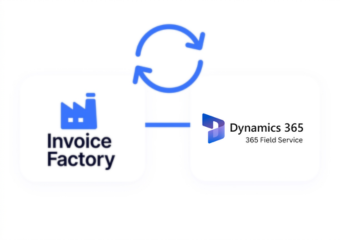
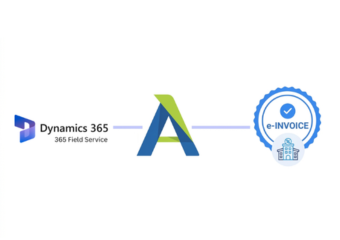
Advintek links Microsoft Dynamics 365 Field Service information with structured invoice workflows, connecting service delivery records with customer billing and compliance processing.
- Work orders establish detailed service billing context
- Asset records connect equipment with service
- Technician data supports completed work verification
- Product usage supports accurate service charges
Business Value Across Microsoft Dynamics 365 Field Service
- Service Delivery Visibility: Connected work orders provide oversight of tasks, resources, products, services, and completion across field service operations.
- Asset History Context: Linked asset information helps teams understand equipment history alongside customer billing activities and related service records.
- Technician Activity Insight: Integrated technician records improve visibility into labor, travel, completion status, and performance across service assignments.
- Recurring Service Control: Agreement information supports scheduled services, products, pricing, and recurring billing requirements across ongoing customer contracts.
- Inventory Usage Accuracy: Connected product consumption records help reconcile parts used during service with related customer charges and invoice details.
Essential Tools for Microsoft Dynamics 365 Field Service E-Invoicing
Work Order Validation
Check service accounts, tasks, services, locations, and billing references before processing.
Asset Service Controls
Verify equipment references, service history, and related transactions against customer records.
Field Billing Evidence
Maintain work order, technician, product, service, and invoice references for reconciliation.
Microsoft Dynamics 365 Field Service Solutions for Ireland
Businesses using Microsoft Dynamics 365 Field Service can connect completed service activity with structured invoice workflows, supporting consistent billing across technicians, service teams, customer accounts, assets, financial operations, and Ireland’s Revenue requirements.
- Service records support accurate invoice preparation
- Asset details strengthen service billing context
- Technician activity confirms completed customer work
- Product usage supports charge verification
Link Service Records With Customer Billing
Align Microsoft Dynamics 365 Field Service with Advintek for Ireland e-invoicing today.
Coordinate service billing through connected workflows.
Ready e-Invoice System
Frequently Asked Questions Microsoft Dynamics e-Invoicing Ireland
How does Microsoft Dynamics 365 Field Service support e-invoicing?
Microsoft Dynamics 365 Field Service records the operational information generated during service delivery, including work orders, customer accounts, products, services, technician activity, and completed work. These records can provide the transaction details required for downstream invoice processing. Advintek can connect this operational information with structured electronic invoicing workflows for Ireland businesses.
What Microsoft Dynamics 365 Field Service data can contribute to invoice creation?
Work order information can provide customer details, service tasks, products, services, quantities, prices, and completion information. Technician activity can add labor and service context, while asset records connect work to specific customer equipment. Together, these records create a detailed operational foundation for validating invoice information before electronic processing.
Can completed work orders support automated billing workflows?
Yes. Microsoft Dynamics 365 Field Service supports invoice generation from completed work orders based on products and services used during customer service activities. Closing the work order can provide the financial and inventory information required for billing. Connected e-invoicing workflows can then process the resulting invoice information through appropriate validation and compliance stages.
How do Microsoft Dynamics 365 Field Service agreements affect recurring invoices?
Customer agreements can define recurring services, products, pricing, schedules, and invoice arrangements. Microsoft Dynamics 365 Field Service can generate recurring work orders and, where configured, recurring invoices associated with agreement products and services. This makes agreement information useful when establishing structured billing workflows for maintenance contracts, scheduled services, and other recurring customer arrangements.
Where do assets and inventory fit into Microsoft Dynamics 365 Field Service invoicing?
Customer assets provide equipment context for service activity, while inventory records can identify parts consumed during completed work. Microsoft Dynamics 365 Field Service can associate products and services with work orders and track inventory consumption. Connecting these records with invoice processing helps verify that customer charges reflect the actual service work and materials used.